Spell Check
It is a good idea to check the text before printing: a typo in a surname on an award certificate is an unpleasant surprise. The editor checks the text on the page using AI and suggests corrections.
How to check the text
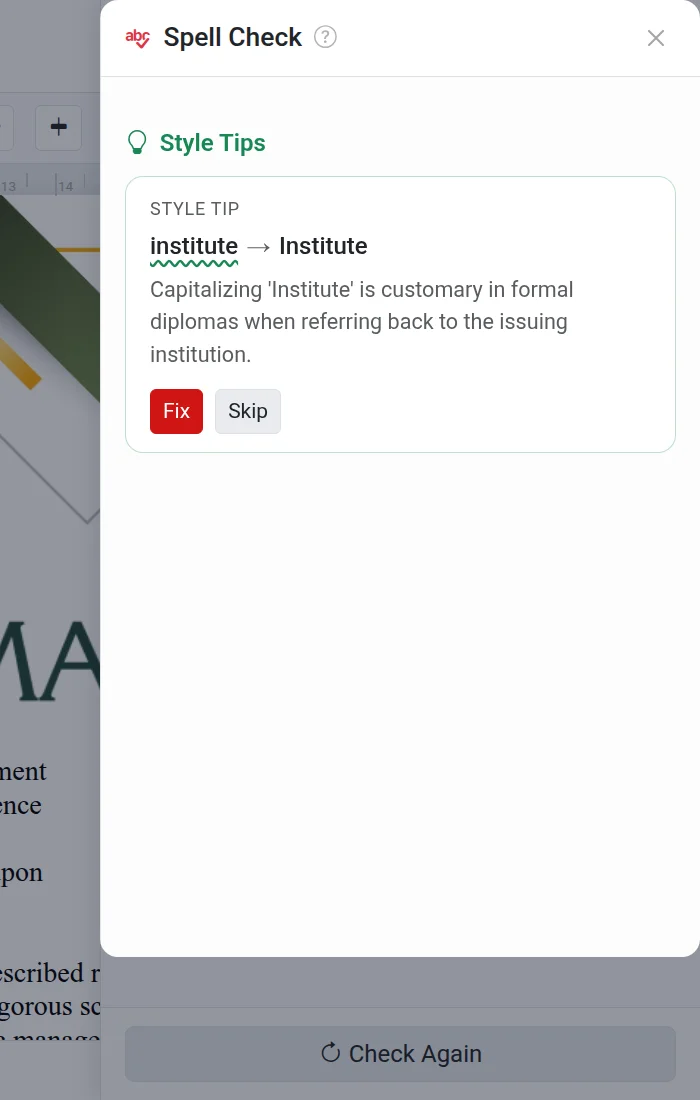
- Go to Tools → Spell Check. A panel will appear on the right.
- Wait for the check to complete. The found errors are categorized by type: Spelling, Punctuation, Grammar, and Style Suggestions.
- For each error, click Fix or Ignore.
- If you change the text, click Check Again.
Spell check counts towards the AI limit
Each check counts as one AI Assistant message. Without the PRO option, the number of checks is limited; the remaining balance is shown in the panel. Learn more in the AI Assistant article.
Troubleshooting
- "No text to check" — there is no text on the page. The spell check only works with text inside text blocks.
- "Failed to check spelling" — wait a moment and click "Check Again".
- The check doesn't find a typo in a surname — the AI does not know the correct spelling of a specific surname. Verify names manually.