Coats of arms
The editor features a collection of coats of arms: national, regional, and city. They are often placed on certificates of honor and letters of appreciation from government authorities and institutions.
PRO or Combo option required
Inserting coats of arms is available with the PRO or Combo option. Without it, the editor will prompt you to activate the option. For more details, see the Free and paid article.
How to insert a coat of arms
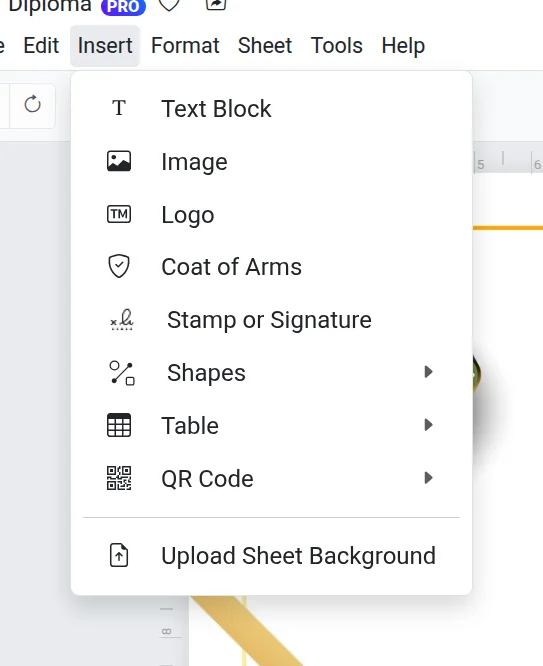
- Open Insert → Coat of arms or click the image button on the toolbar.
- Select a region from the list. The country comes first, followed by the regions in alphabetical order.
- The coats of arms for the region and its cities will appear. Click the one you need.
- Click Insert.
To return to the region list, click the arrow next to the window title.
After insertion
A coat of arms is a standard object: it can be moved, resized, rotated, or sent to the back. For more on how to do this, see the Working with objects article.
If it doesn't work
- The required city is missing — upload the coat of arms image as a regular picture: Images.
- "Failed to load the region list" — check your internet connection and open the window again.